AI video generators vs AI motion graphics
Kario Team · September 29, 2026 · 2 min read
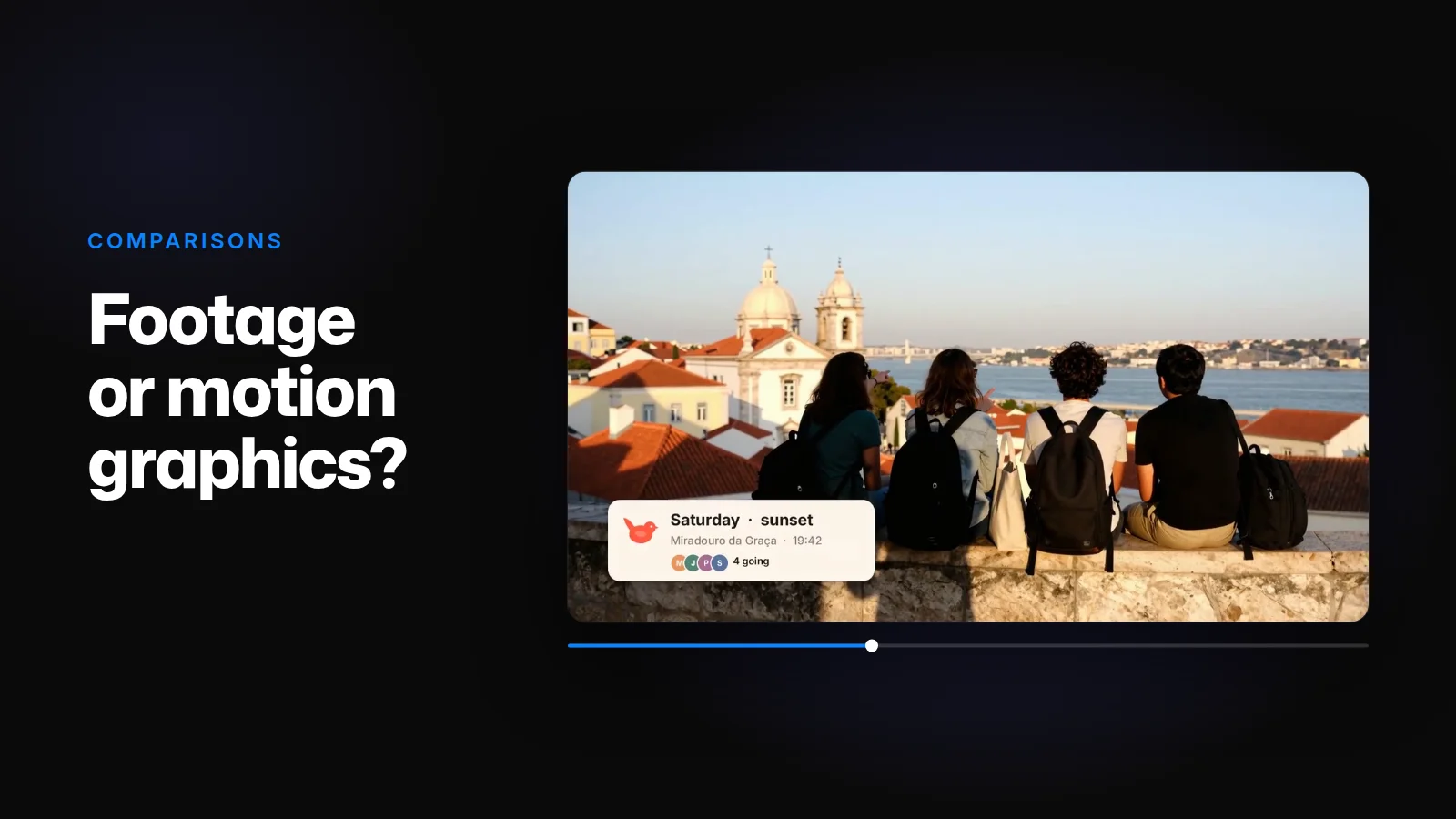
Video generators, such as the models in Runway or Google's Gemini Omni, turn a prompt or an image into footage: a camera move down a street, a product on a turntable, a person on a beach. What comes back is a finished clip.
Kario makes motion graphics: type, shapes, charts, app screens and logos, animated as layers in a project you can edit. What comes back is the project, and the video rendered from it.
What you get back
- A generated clip is one flattened picture. Newer models render text more reliably, and Google says Gemini Omni renders on-screen text "correct and readable" (Google). But the text is painted into the frame. Changing one word means generating the clip again and checking everything in it again.
- It comes in the shapes and lengths the model offers. Gemini Omni makes 16:9 or 9:16 at 720p by default, with 1080p and 4K upscaled, and every clip carries a SynthID watermark (Google).
- It can't show your product. A generator can invent a plausible dashboard, not yours, and your colours and logo come out close rather than exact.
- Models change under you. OpenAI shut down the Sora 2 API on September 24, 2026 (OpenAI), and the Veo 3.1 Preview has left the Gemini API (Google).
In a Kario project, "change Pro to Team" retypes one text layer, "use our blue" changes that colour where it's used, and "hold the button longer" changes one scene's timing. The rest stays as it is, at any length, in 16:9, 9:16, 1:1 or 4:5.
Where footage is the right call
Anything that would come from a camera: a place, a person, a mood. Kario generates those too, as images or video clips that sit on a layer in the same project, under your type and next to your interface.
Hopwren's launch video uses both. The four friends at a Lisbon viewpoint are a generated image, the one shot a landing page never has. Everything else is Hopwren's own headline, section titles and app screens, rebuilt as layers.
You can also upload footage you already have. It becomes a layer like any other: trim it, place it, set type over it.
Website to video goes through the Hopwren video shot by shot.